Chan manual
Graph
Navigate directories and relationships, and use depth to see more of a repository.
Open a graph
Open Graph from the command launcher to explore the workspace. Use Graph from here in a file or directory's Details to start from that location. The terminal equivalents are:
$cs graph
$cs graph src
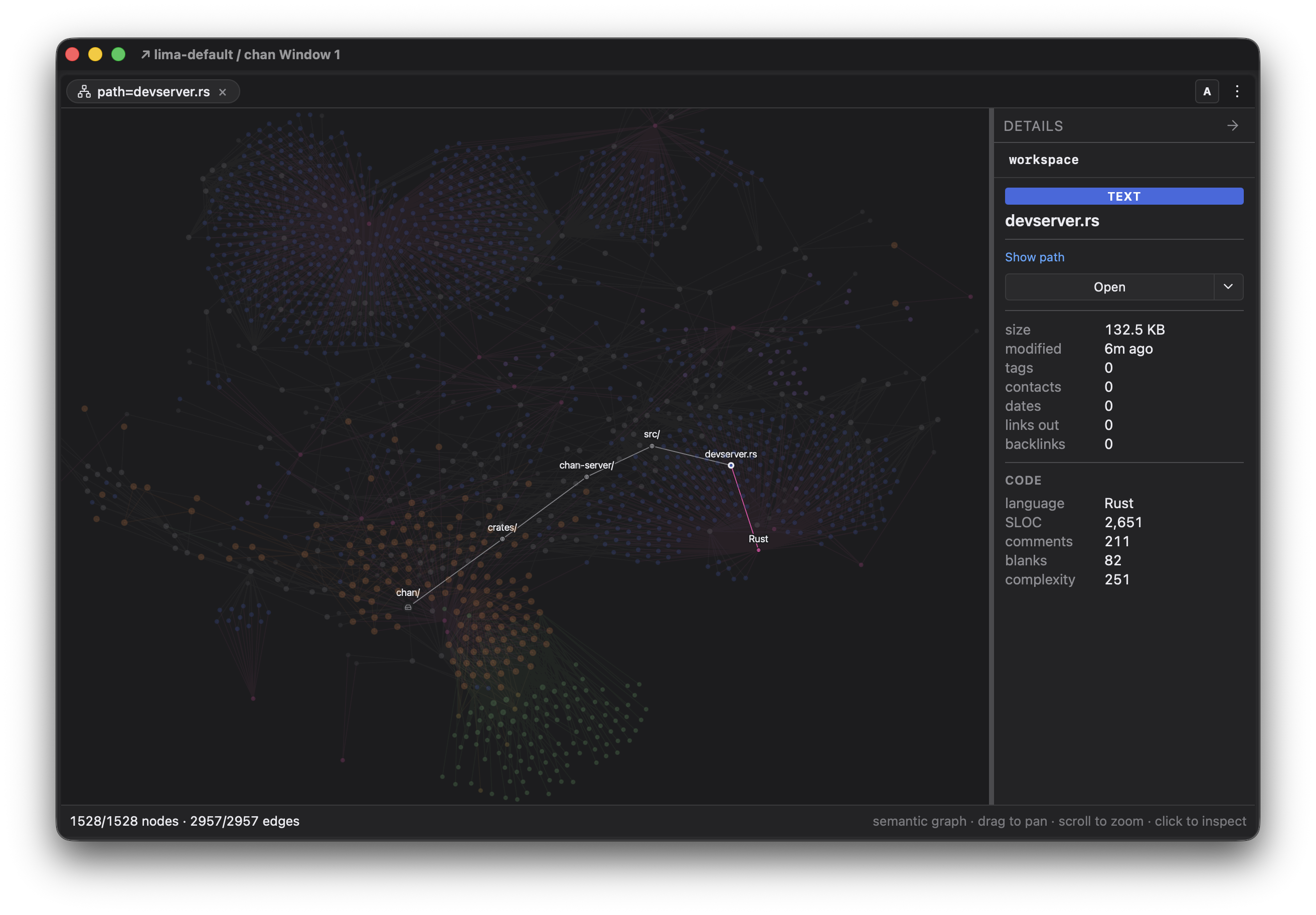
The graph combines a directory structure with relationships from documents, including links, tags, and mentions. Language views connect source files through the code reports. Select a node to read its Details and follow the actions there.
Navigate directories like a browser
Use the directory graph as a visual file browser: select a directory to inspect it, and double-click a directory node to expand or collapse its children. Graph from here opens a graph tab focused on that selection.
The breadcrumb in Details shows the current path. Click an ancestor to move up within the same graph tab, or workspace to return to the root. Changing scope resets depth and clears the selection; a directory scope then reveals enough depth to show its files.
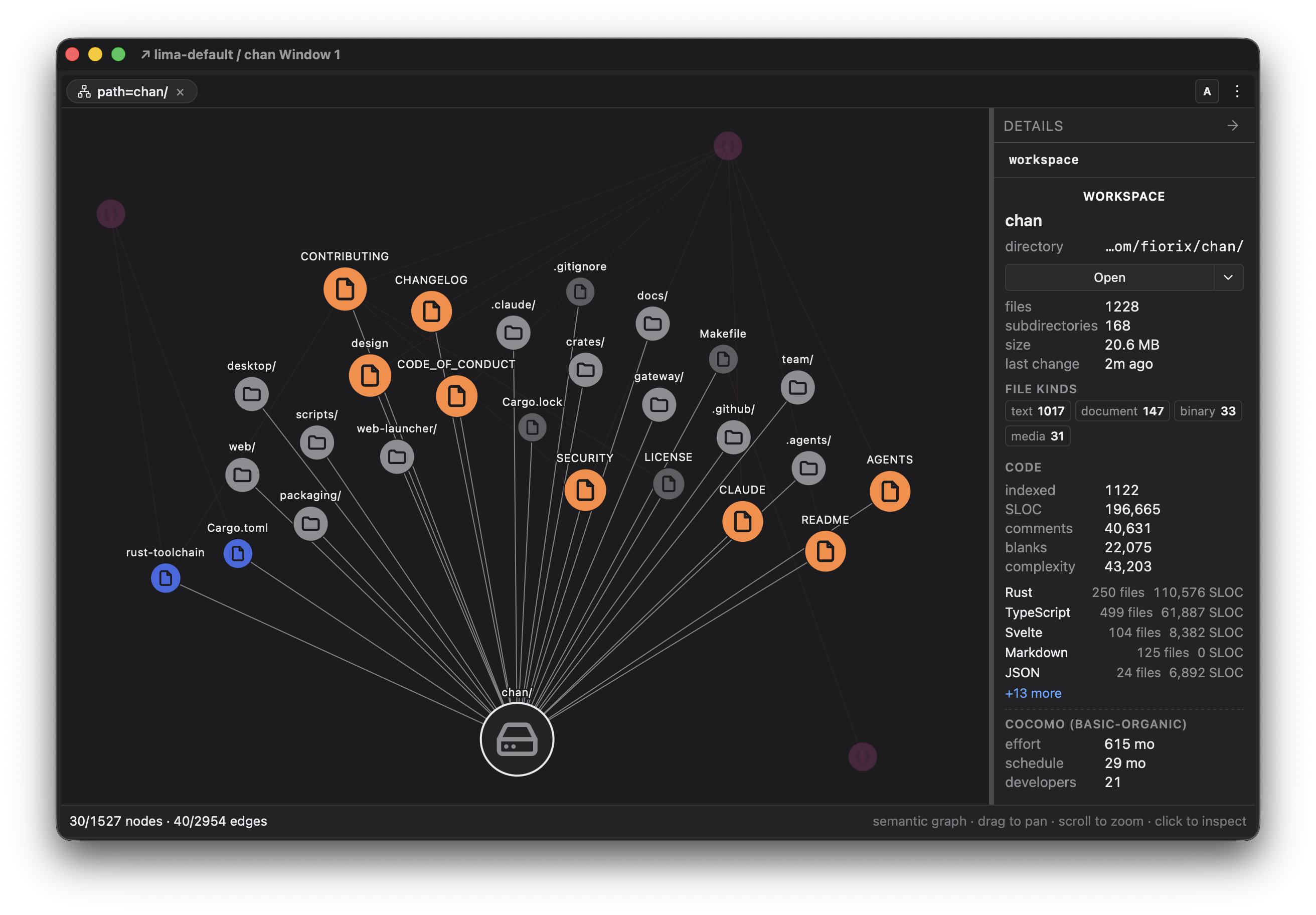
Use depth for a wider view
Open the graph tab's menu and raise Depth to reveal more levels. For a view of the whole repository, start at workspace scope and select the workspace root, then increase depth. Selecting a nested directory first expands that subtree; its ancestors stay visible so it remains connected to the root.
The depth slider replaces individual expand/collapse choices. A directory-focused graph opens deep enough to show its files; a shallow scope marks its maximum when there is nothing further to reveal. Lower the depth again to focus on structure instead of every file.
For tag, mention, and contact scopes, depth controls how far to follow connections. Single-document and language scopes are capped at one hop. Scope and depth work together: increasing depth in one directory does not change the scope to the whole repository.